
Getting Started with Moondoggle

Keith
Moondoggle is a writing application for authors with three parts that work together: a rich editor for your manuscript and research, a freeform visual board for storyboarding and worldbuilding, and an AI assistant that actually knows your story. Let's do a quick tour!
The editor
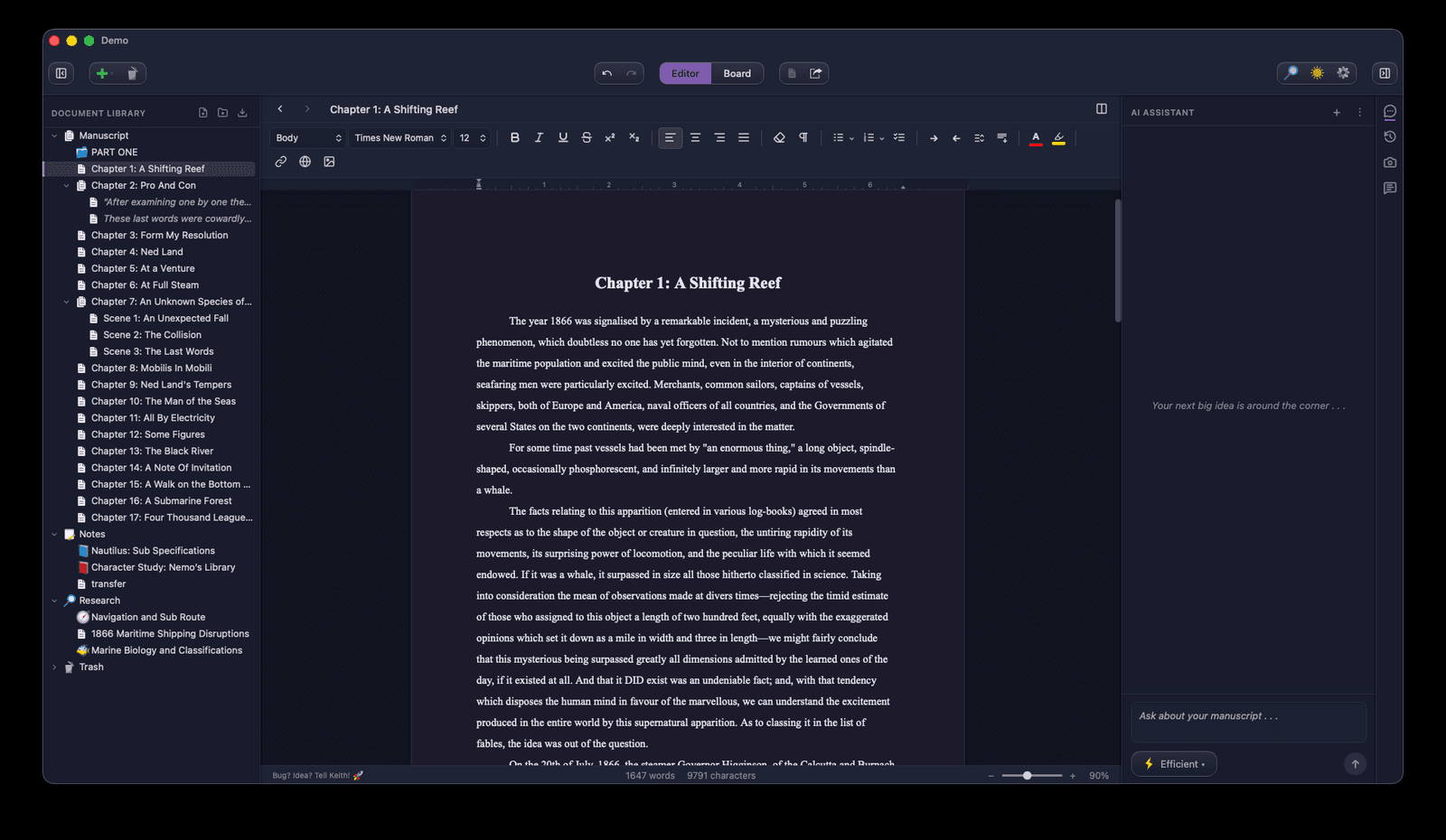
This is where your story comes alive. Moondoggle is built around a clean, focused writing area with rich options when you want and nothing to distract you when you don't.
The document tree
Your documents are organized in the left sidebar. Chapters can contain scenes and sub-scenes, folders can contain chapters or notes, and documents can stack however you need. You can drag to rearrange, nest, and restructure on the fly.
Compiled view
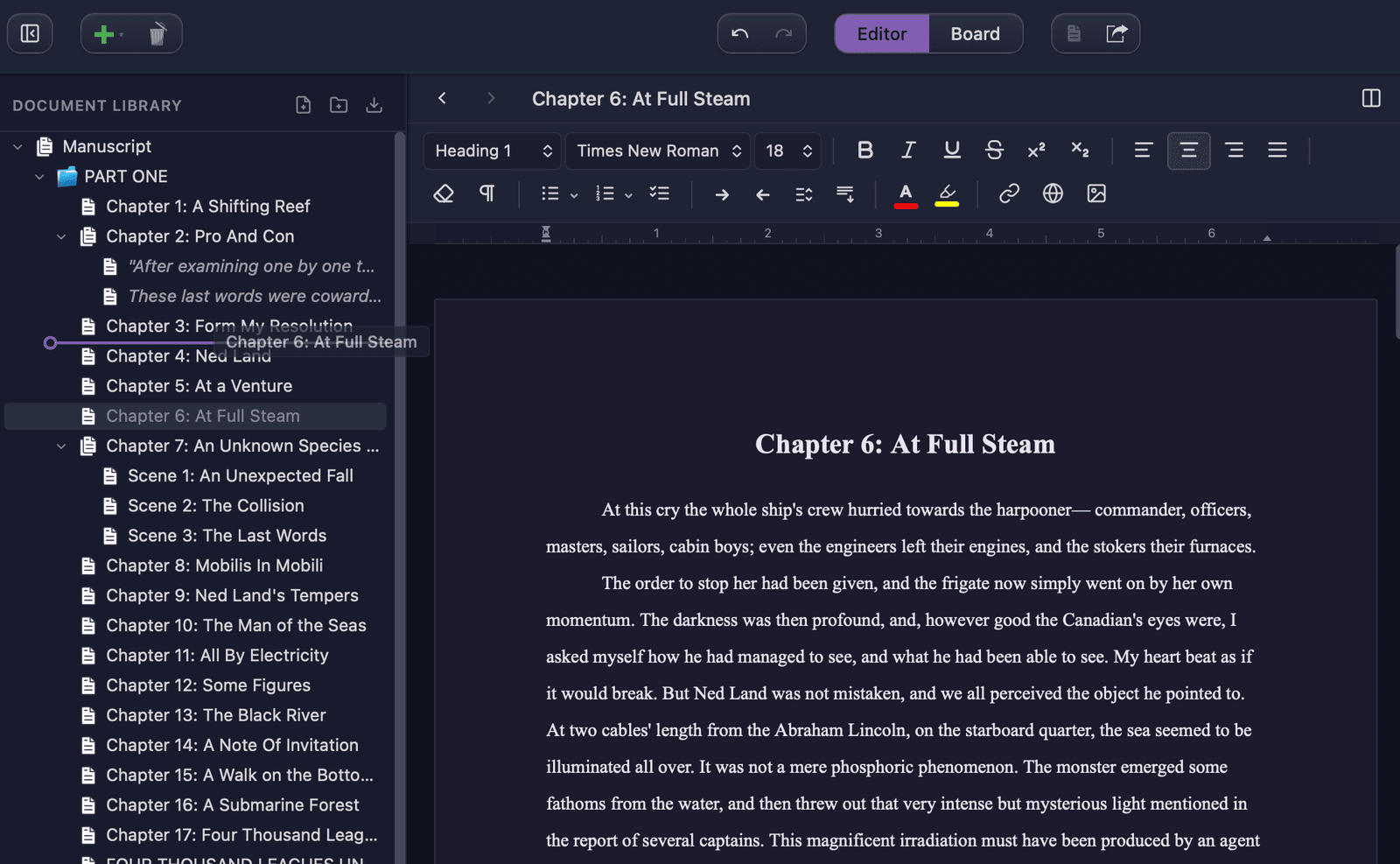
Select a parent document then click the Compile button to see all its children in one continuous scroll. It's like reading your chapter, or your manuscript, straight through. Any edits you make in compiled view are automatically saved in the child docs so you can switch between with ease.
Split screen
Open two documents side by side. Reference your notes on the right while drafting a scene on the left. Or view a compiled chapter in one pane and a single scene in the other . . . whatever helps you think!
Snapshots
Saving is good, but snapshots are better. They are permenant versions of a document that you can review and roll back at any time. About to do a big rewrite? Take a snapshot. Changed your mind? Revert instantly.
For a deeper look at the editor's features, read the full editor tutorial.
The board
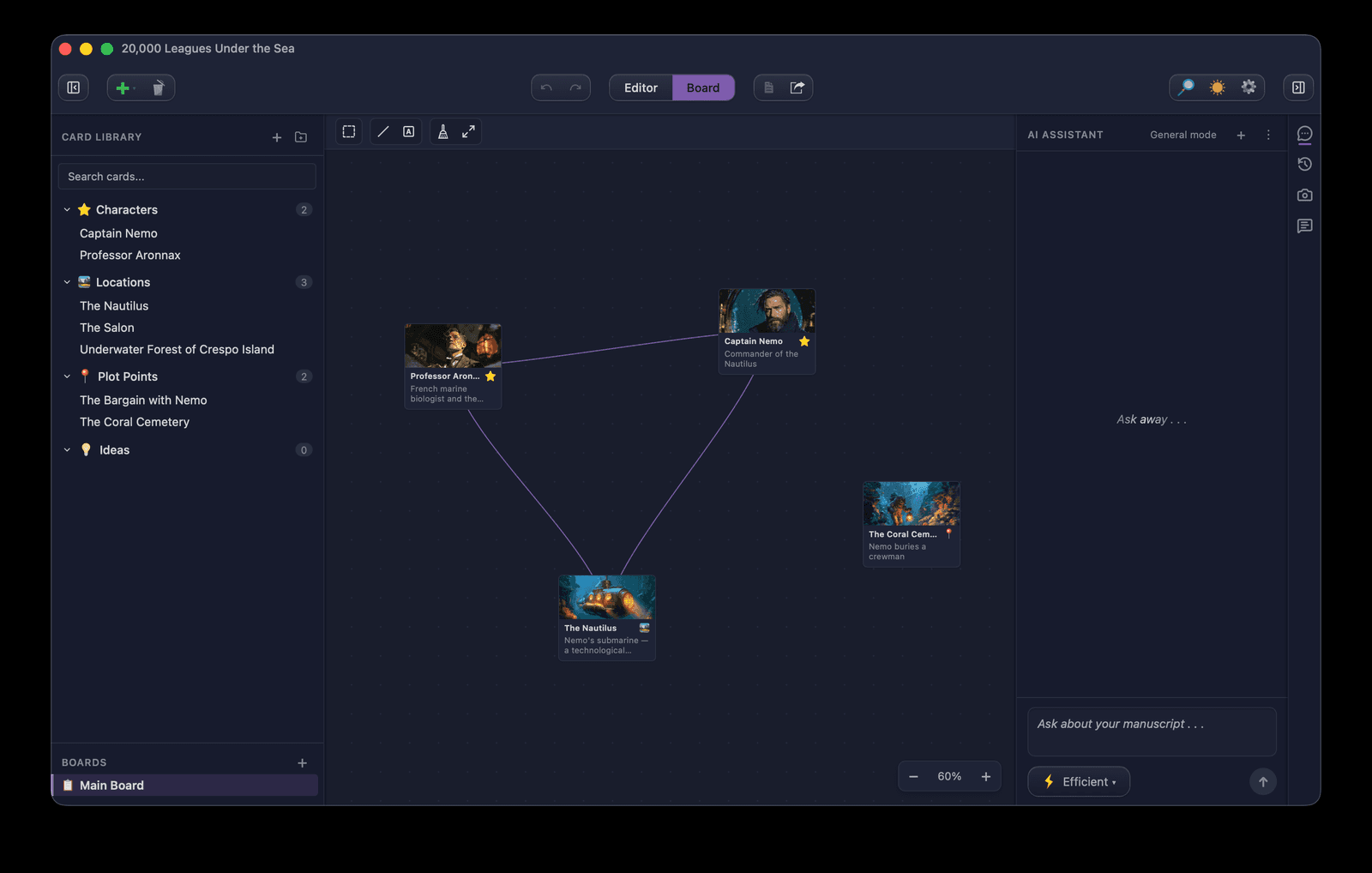
The board is a freeform space for you to organize your ideas and see your story take shape. Use dedicated Cards to represent your characters, locations, plot points, and ideas. Arrange them on a spatial canvas, draw connections between them, add freeform text and drawings, and see your story's architecture at a glance.
Card types
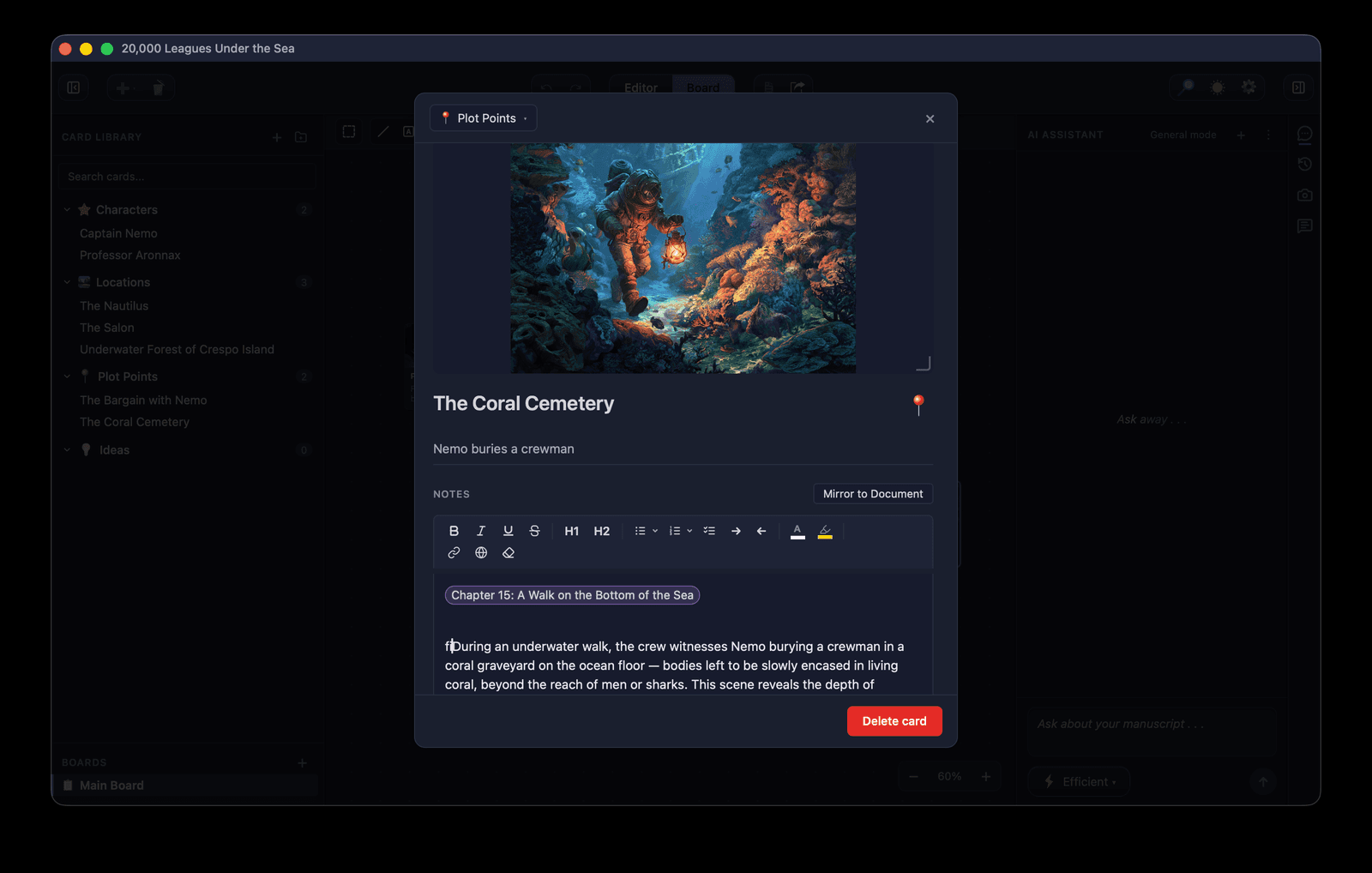
Moondoggle ships with four defaults (characters, locations, plot points, and ideas), or you can create your own. Each card has a dedicated notes field, and you can mirror a card directly with a document in the editor. Edit in one place, it appears in the other. Never lose another idea.
Connections
Draw lines between cards to show relationships. Mentor → student, character → location, plot point → consequence. Discover the hidden threads that ties your story together.
Link cards to your manuscript
Use cross-linking between any card or document to create Wikipedia-style depth. Click any link to jump to the character profile, the location notes, or the plot outline. Your worldbuilding stays connected to your writing.
Multiple boards
Create separate boards for different aspects of your story: one for characters, one for the plot timeline, one for places and scenes. Each board is its own infinite canvas.
For a deeper look at boards and cards, read the full board tutorial.
The AI assistant
Moondoggle's AI assistant knows your entire project (manuscript, notes, research, cards) and gives you feedback, analysis, and brainstorming without ever writing for you. It's a thinking partner, not a ghostwriter.
It actually reads your book
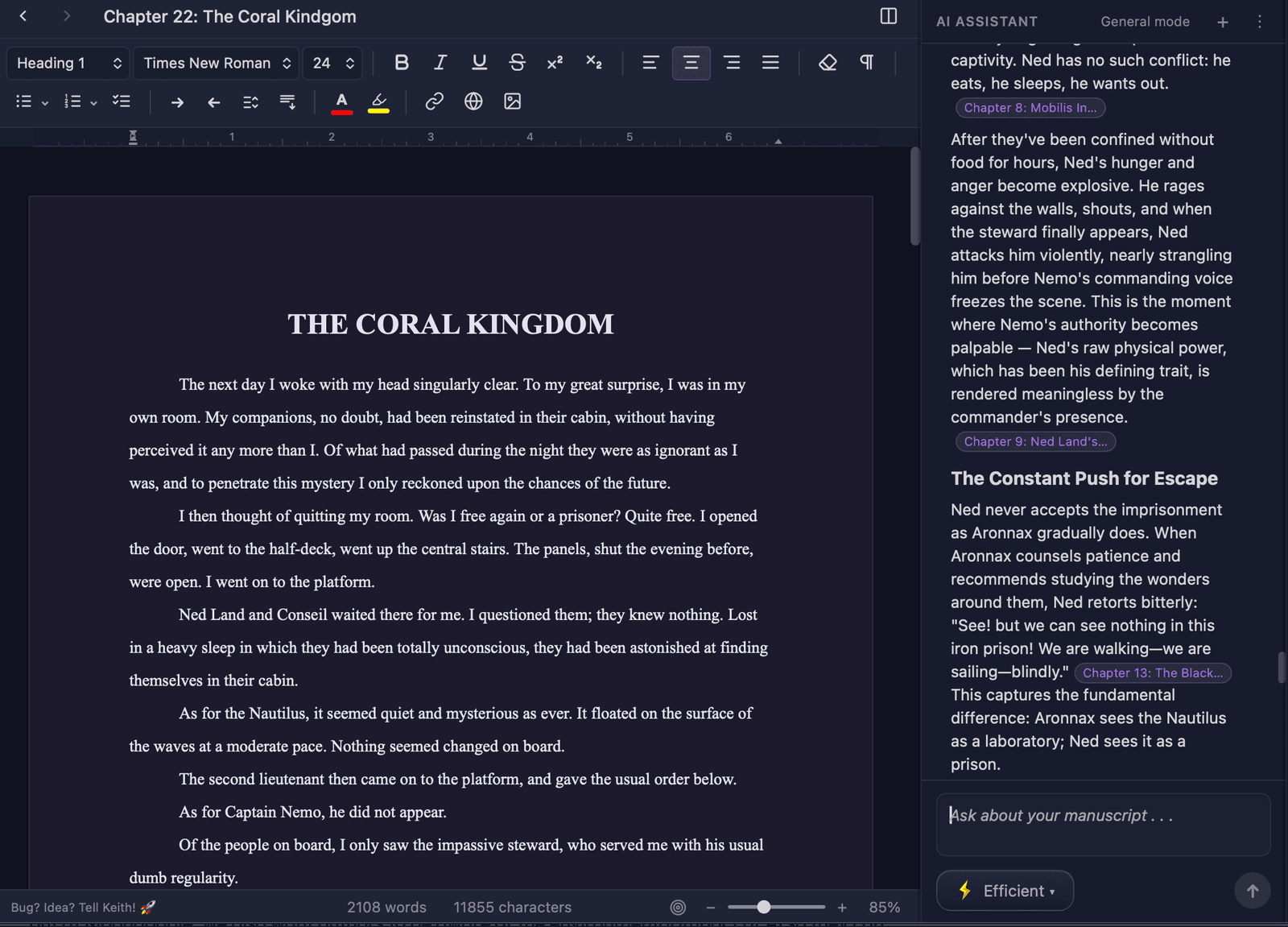
The assistant searches your entire manuscript for relevant passages before answering. Ask "what are Solaire's key motivations?" and it pulls from every chapter where she appears, not just the one you're looking at. Every answer comes with citations you can click to jump straight to the source passage.
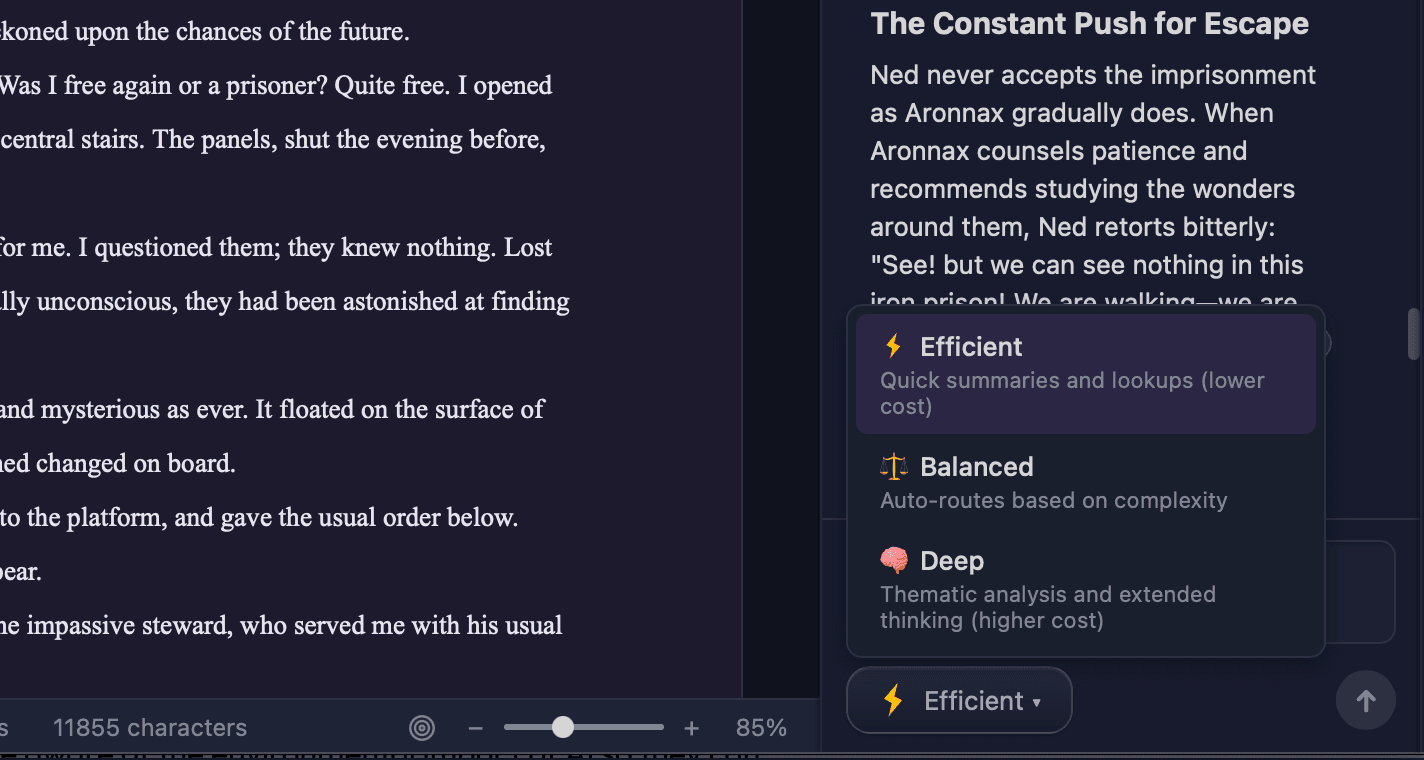
Three thinking modes
- Efficient — fast answers, lower cost. Perfect for quick questions, lookups, and summaries.
- Balanced — broader context. Good for character consistency and multi-chapter analysis.
- Deep — reads widely across your whole project. Use for thematic analysis, consistency checks, and structural critique.
You can switch modes mid-conversation. Ask a quick question on Efficient, then follow up with "analyze this more deeply" and switch to Deep for the next message.
Point it at exactly what you need
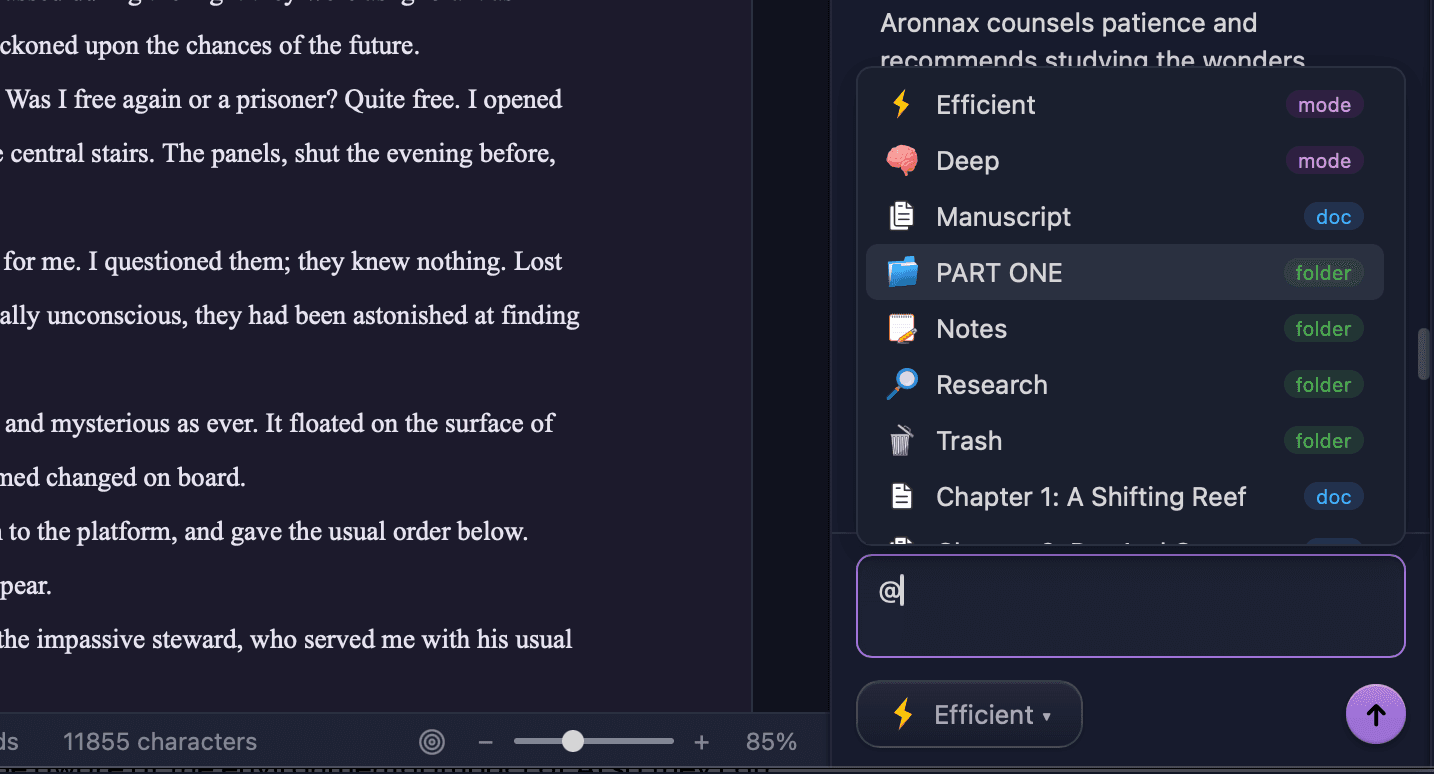
Type @ in the chat input and a popup shows your full document tree:
@Chapter 5— the assistant focuses exclusively on Chapter 5@Part One— reads everything nested under Part One (all chapters, all scenes)@Manuscript— reads your entire manuscript (pair with Deep mode for big-picture questions)
Without @, the assistant searches for the most relevant passages automatically. With @, you narrow the search and say "read this specifically."
Personas
When you first open a project, you can choose a persona that guides how the assistant thinks about your work. The Fiction persona notices character arcs and pacing, while the Non-Fiction persona watches for argument structure and source consistency.
For a deeper look at the AI assistant, read the full chat tutorial.
What about my files?
Everything saves automatically. Your manuscript lives as plain HTML files on your computer so there is no proprietary database or cloud lock-in. Export to Word or EPUB anytime from File → Export.
Start wherever feels right
Open the editor and dive in. Open the board and map your world. Open the chat and explore your story. Nothing can ever replace the unique creativity that you bring, so just keep writing.
Moondoggle is there to help you land among the stars.
Join the open beta to download Moondoggle and start writing.
Prefer to watch? The full walkthrough is on YouTube.
Sharpening the quills...